
FOD Walkdown Guide and Checklist
A practical field guide for planning, conducting, documenting and improving Foreign Object Debris (FOD) inspections in aerospace, aviation, manufacturing, maintenance and other FOD-sensitive environments. Get the Free GuideSee What's Inside14
Pages
12
Sections
5
Ready-to-Use Forms
7
Walkdown Steps
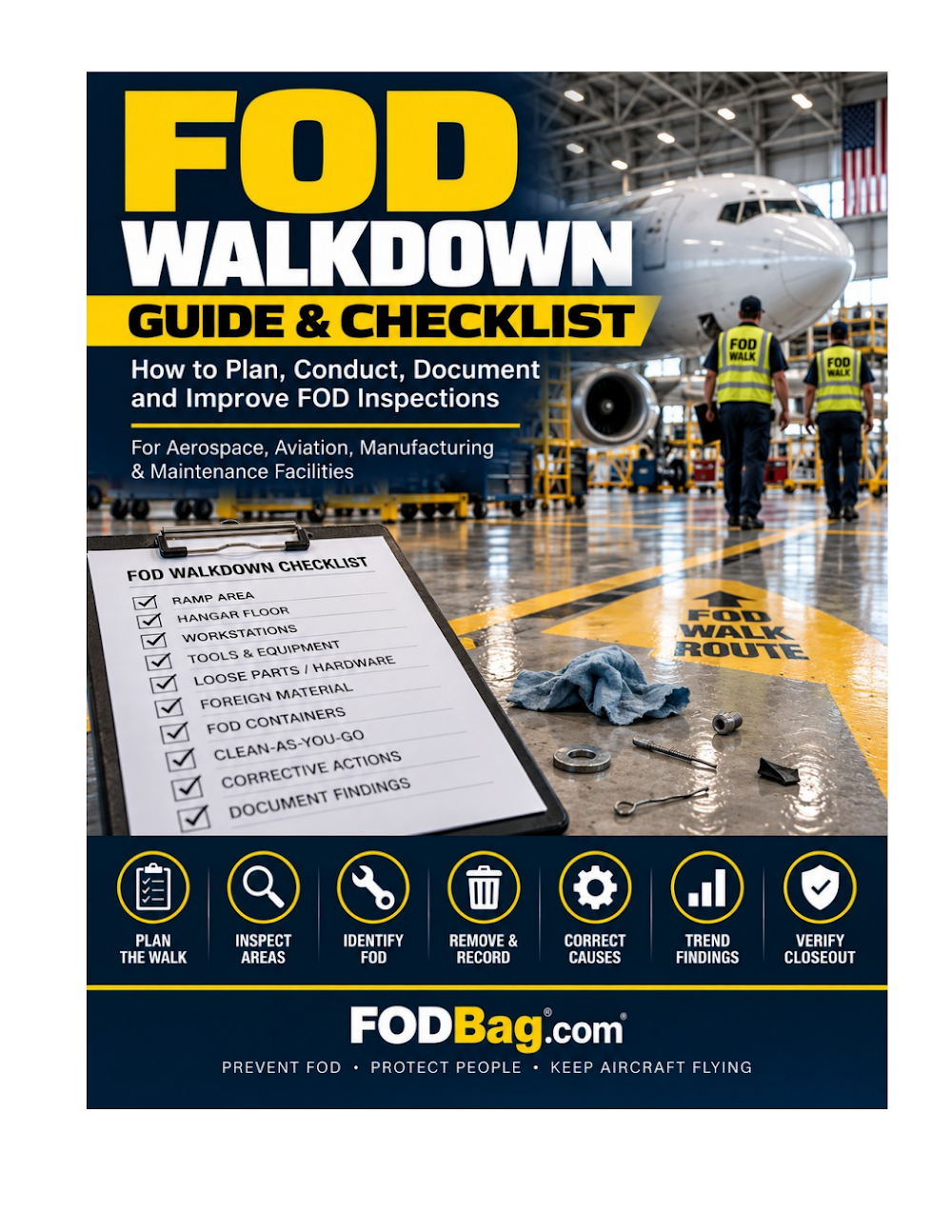
About the FOD Walkdown Guide and Checklist
Quick answer: A FOD walkdown is a deliberate inspection of a defined area for foreign objects, loose articles, tool or hardware discrepancies, housekeeping conditions and damaged controls that could create Foreign Object Damage risk. A strong walkdown program does more than pick up debris: it detects weak controls before those weaknesses become incidents. A FOD walk is the same field activity; this guide covers how to plan, conduct and record it.
Who it is for: Supervisors, FOD program managers, quality teams and inspection personnel in hangars, manufacturing cells, maintenance areas, assembly zones and ramps.
What’s Inside the Guide
Twelve sections from walkdown objectives to ready-to-use forms.
Objectives and Planning
What to Inspect
Conducting the Walkdown
Findings and Corrective Action
Trending and Supervisor Closeout
Failures, Checklist and Forms
The Seven-Step Walkdown
The guide’s core method for every inspection.
1. Plan
2. Inspect
3. Identify
4. Remove and Record
5. Correct
6. Trend
7. Verify
Questions This Guide Helps You Answer
- Is foreign material present where it should not be?
- Are tools, parts, hardware, consumables, personal items and work materials controlled?
- Are FOD containers, covers, barriers, signs, shadow boards and storage controls being used correctly?
- Are housekeeping or process conditions creating recurring FOD?
- Can the area be safely released or returned to normal operation?
How to Use This Guide
- Use Sections 1 to 6 to establish or improve your walkdown process.
- Use the field checklist during routine inspections.
- Use the finding log and corrective-action tracker to document and close issues.
- Use trend data to identify recurring sources, locations, shifts or processes.
- Tailor every form to your facility, customer requirements and approved FOD Prevention Program.
Forms in the Toolkit
- Form A: FOD Walkdown Checklist
- Form B: FOD Walk Finding Log
- Form C: Corrective Action Tracker
- Form D: Supervisor Walkdown Closeout
- Form E: Sample Completed FOD Walk
By FODBag.com · Reviewed November 9, 2026
FOD Walkdown Procedure Card: Frequency, Roles and Records
A walkdown only protects product if it happens on a schedule, covers a defined boundary and leaves a record. Use this card to set the schedule, assign the roles and decide what gets written down. Published frequencies below come from NASA’s public standard for its own projects; treat them as a worked example and set yours from your risk assessment.
Walkdown and Clean-As-You-Go are different jobs
NASA MSFC-STD-3598 Rev. D defines Clean-As-You-Go as cleaning the area after each planned operation and before the end of each work shift (paragraph 3.2.1), and defines a walk down as a physical inspection, by visual sweep, of an assigned area, zone or operational processing area for FOD and documentation of the resulting data (paragraph 3.2.28). Clean-As-You-Go is done by the person doing the work. The walkdown is a separate check by someone assigned to look at the area as a whole. Source: NASA MSFC-STD-3598 Rev. D.
When to walk, and what to check
| When | Check | Source or basis |
|---|---|---|
| Start of shift, when the area is active (FOD Control and FOD Critical areas) | Area is visually free of FOD; loose FOD collected and recorded by type; worn or damaged equipment, supplies or facility features reported; every tool in tool storage accounted for; FOD control supplies available and in good condition | NASA 4.3.3.3(f) |
| Start of shift, FOD Critical zones, in addition | Shop consumables and small parts counted and kitted before entry; tools and eyeglasses tethered; loose items removed before entry; sponge count procedure followed for consumables and cut-to-fit items | NASA 4.3.3.3(g) |
| End of shift | Walker is the last person out and scans the area on exit; end-of-shift tool inventory confirms every tool is back in its location, for example by a visual sweep of shadow boards | NASA 4.3.3.3(h) |
| After non-standard work, a repair that opened an area, or a lost tool report | Walk the affected boundary before the area is released to normal operation | FODBag suggestion, not a quoted requirement |
| Weekly or monthly, by a supervisor | Closeout check that the walked boundary was covered and corrective actions are moving; review of collected FOD by source | FODBag suggestion; see trend review below |
Who does what
| Role | Responsibility on the walk |
|---|---|
| Operator or technician | Cleans as they go, keeps tools and small items controlled, reports anything found that is not theirs |
| Walk lead or FOD monitor | Performs the scheduled walk, collects and records findings, runs the shift-end tool inventory, reports completion and exceptions, and informs the site manager immediately of a lost tool or FOD incident (NASA 4.3.3.3(h)–(j)) |
| Supervisor | Confirms the boundary was covered, owns corrective actions for their area, and signs the closeout |
| FOD program manager | Reviews trends, chairs the committee review, and decides when findings change area designations or procedures |
What to look for, by location
| Location | Look for | Controls to check at the same time |
|---|---|---|
| Floors, ramps and travel paths | Hardware, fasteners, safety wire, cotter pins, rivets, washers, clips, fragments, stones and packaging | Floor markings intact; collection point within reach |
| Under, behind and inside permitted areas | Items that rolled or migrated out of sight | Covers and barriers in place |
| Work surfaces and product vicinity | Operations debris. IAQG lists examples such as machining chips, drill shavings, safety wire remnants, solder balls, coatings, tie wraps, grit blast, shot peen, tumbling media and hardware remnants (SCMH 3.4.2 slide 27) | Protection devices fitted and tracked |
| Tool storage | Missing, broken or loose tool parts | Shadow boards and inventories complete |
| Collection containers | Overfull or open containers, contents that point to a source | Container lids closed, labelled and emptied on schedule |
| Entry points | People entering without required training or with loose items | Signs posted; supply station stocked |
What to record for each finding
The FAA advisory circular recommends collecting these details whenever FOD is collected, to the extent practicable (AC 150/5210-24A paragraph 6.1.1): how it was detected; date and time; description (category, size, color) or an image; location; possible source; the name of the person detecting or investigating; and operating conditions at the time. Add a finding code so trends can be sorted. The codes below are FODBag examples, not a standard. Our page on FOD finding response and disposition codes goes further.
| Example code | Meaning | Typical response |
|---|---|---|
| A | Loose foreign object found and removed | Collect, record type and location, look for the source |
| B | Control item damaged or missing (container, sign, tether, cover) | Repair or replace, record, re-walk |
| C | Tool or hardware discrepancy | Stop, locate, report as a lost tool event if not found |
| D | Housekeeping condition creating FOD | Correct now, assign owner if it recurs |
| E | Possible product exposure | Contain the area and product, notify the supervisor and program manager, investigate |
Trend review: where the walk pays off
Evaluating what is collected in containers and pouches can reveal its sources and show where people and equipment should be deployed (FAA AC 150/5210-24A paragraph 5.2.3.3.2). Records also let you identify trends and repeats so corrective action can start (paragraph 6.1.4). Review the finding log at least monthly: count by area, shift, source and finding code, then ask what changed where the counts rise. The FAA circular also notes that telling the source of repeated FOD helped correct the underlying safety deficiencies behind repeated FOD events, according to operational experience at one or more airports (paragraph 6.1.2.3).
Set up the walk kit
NASA requires a FOD control supply station at the access point of its FOD Control Areas and FOD Critical Zones, stocked with the area agreement, tool control logs, entry and exit logs, and supplies such as tool tethers, eyeglass retainers, tape for jewelry, personal organizer packs and FOD collection bags (paragraph 5.5.2.5). The FAA circular notes that personnel can wear waist pouches to collect debris (paragraph 5.2.3.1). A practical kit for your walkers:
| Need | FODBag product |
|---|---|
| Pouch for the walker to collect what is found | FOD belt pouches and bags with waist belt |
| Marked place to empty the pouch | FOD cans with the FOD collection point sign |
| Tell people a walk is under way and where it is required | FOD Walk in Progress sign, FOD Walkdown sign and the FOD walk and awareness signs (signs from $29.99) |
| Mark walk boundaries and route | FOD floor tape, 2 in × 108 ft rolls |
Help choosing a kit: call 602-874-1313. FODBag has supplied FOD prevention products since 2016.
Sources and how we used them
- NASA MSFC-STD-3598 Rev. D, Standard for FOD Prevention (effective July 26, 2021) — Paragraphs 3.2.1, 3.2.28, 4.3.3.3 (f)–(j), 5.5.2.5. NASA’s standard covers its own MSFC projects. Accessed Nov. 9, 2026.
- FAA Advisory Circular 150/5210-24A, Airport Foreign Object Debris (FOD) Management (Feb. 8, 2024) — Paragraphs 5.2.3.1, 5.2.3.3.2, 6.1.1, 6.1.2.3, 6.1.4. Written for airport operators. Accessed Nov. 9, 2026.
- IAQG SCMH 3.4.2 Rev. D, FOD Prevention Program: Guidance in Support of IAQG Standard 9146 (June 19, 2023) — Slide 27 (operations debris examples). Accessed Nov. 9, 2026.
Frequencies, codes and kit contents are starting points. Your customer requirements, approved procedures and risk assessment decide what you must do.
By FODBag.com · Updated November 10, 2026
Reviewed by Trent Powell, Founder, FODBag · Reviewed: November 10, 2026
FOD Walkdown Playbook: What the Public Sources Require, Frequency, What to Record and a Month of Metrics
Quick answer: A FOD walkdown is a physical, visual sweep of an assigned area for foreign objects, with the results documented. NASA runs walkdowns at the start of each shift in active control areas and on entry and exit of critical zones; FAA expects airport operating areas inspected at least once each day. Record what is found, where, and trend it.
This playbook is for supervisors, FOD program managers and inspectors who plan, run and measure FOD walkdowns (also called FOD walks) in hangars, cells, ramps and assembly areas. It sets out how the public NASA, IAQG and FAA documents define a walkdown, how often they call for one, what to record, how the metrics NASA names can be calculated, and a checked month of data. NASA’s standard is written for flight-hardware programs and FAA’s circular for airports, so use them as reference models and set your own frequency in your approved procedure. Anything beyond the opened sources is a FODBag suggestion.
What a walkdown is and when it is done
NASA’s standard defines a walk down as a physical inspection, by visual sweep, of an assigned area, zone or operational processing area for FOD and documentation of the resulting data (NASA MSFC-STD-3598 Rev. D, 3.2.28). Frequency depends on the area. For active FOD Control Areas, walk downs are performed at the beginning of each shift during which project operations are planned, with results recorded (NASA MSFC-STD-3598 Rev. D, 5.5.5 k); the FOD Monitor also walks the FOD Control and Critical Areas at the start of an active shift to confirm the area is visually free of FOD, tools in designated storage are accounted for and FOD control supplies are in satisfactory condition (NASA MSFC-STD-3598 Rev. D, 4.3.3.3 f). For a FOD Critical Zone, a walk down or visual sweep is performed on entry and exit and recorded (NASA MSFC-STD-3598 Rev. D, 5.5.6 l), and a walk down is required before a suspended sensitive area is reactivated (NASA MSFC-STD-3598 Rev. D, 5.5.3.2). At the end of the shift the FOD Monitor is the last person out, scans the area on exit and inventories tools, which can be done by a visual sweep of shadow boards (NASA MSFC-STD-3598 Rev. D, 4.3.3.3 h).
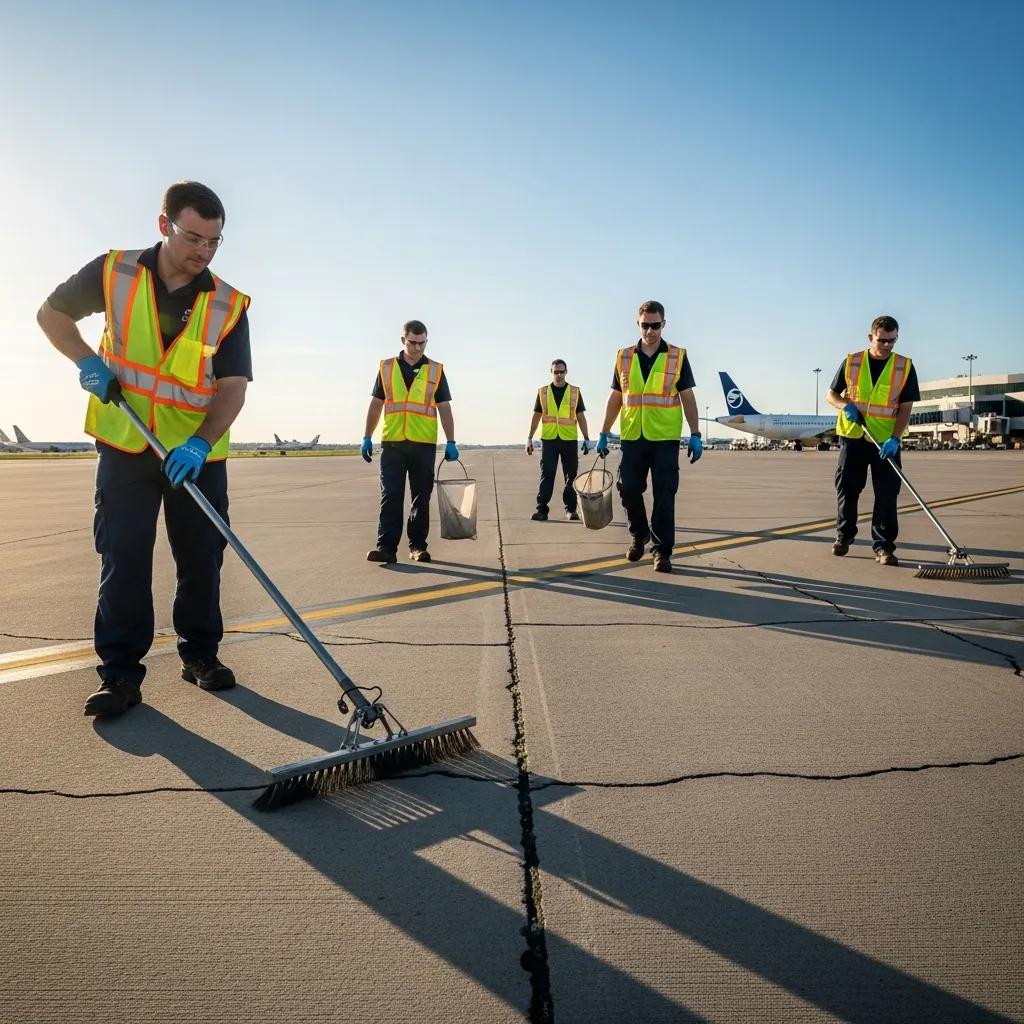
For airports, FAA’s advisory circular says the FAA and ICAO require a daily, daylight inspection of aircraft operating areas: areas must be inspected at least once each day, with additional inspections in construction areas and immediately after any aircraft or ground vehicle accident or incident or a spill, and personnel should look for FOD as they work (clean-as-you-go) (FAA AC 150/5210-24A, paragraph 4.3.2.1). All-hands FOD walks, where staff and partners manually collect FOD, are described as a useful part of an airport FOD campaign; identifying the location and origin of the FOD is not always possible (FAA AC 150/5210-24A, paragraph 4.3.2.3.3). A walkdown is also not a substitute for clean-as-you-go, which IAQG places at the work interval, such as after each operation (IAQG SCMH 3.4.2 Rev. D, slide 27).
Run the walkdown: seven steps
- Plan. Confirm the boundary, route, participants, current work and hazards, and any known concerns.
- Inspect. Move systematically: look high, low, under, behind and inside permitted areas, not only at the floor surface.
- Identify. Decide what was found, where it came from if known, and whether it points to a larger problem.
- Remove and record. Remove or contain FOD when authorized and record the finding by type and location (NASA records collected FOD by type).
- Correct. Fix the immediate cause: close a container, restore a cover, secure hardware or clean the condition.
- Trend. Capture area, item type, shift, process and owner for source analysis.
- Verify. Confirm the area is clear before releasing it, and record the completion and any exceptions.
What to record and measure
NASA records FOD incidents and the results of walk downs and audits in a FOD database that provides computer-based metrics. The metrics it names include Pareto charts of FOD type found per location and quantity per location in a time period, used to identify and prioritize sources; trend charts of Percent No FOD Found and Walk Down Completion Percentage, used to gauge adherence and improvement over time; tracking of specific FOD types found; and separating operations-generated from facility-generated debris (NASA MSFC-STD-3598 Rev. D, 5.12.2 and 5.12.2.3). NASA does not publish a formula for either percentage, so the formulas in the worked example are FODBag’s: completion percentage is completed walkdowns divided by scheduled walkdowns, and percent no FOD found is walkdowns with no findings divided by walkdowns completed.
IAQG also expects FO, FOd and FOD nonconformities to be categorized by type and point of detection and origin to support root cause analysis (IAQG SCMH 3.4.2 Rev. D, slide 16). A walkdown record should therefore capture type, location and likely origin, not only a pass or fail.
Worked example: one month of walkdown metrics for a two-shift hangar
This example is illustrative, not a customer case, and the figures are invented for the exercise. A two-shift hangar schedules one walkdown per shift for 22 working days: 22 × 2 = 44 scheduled. 41 were completed. Of those, 29 found no FOD and 12 had findings (41 − 29 = 12).
| Metric | Calculation | Result |
|---|---|---|
| Walk Down Completion Percentage | 41 ÷ 44 | 93.2% |
| Percent No FOD Found | 29 ÷ 41 | 70.7% |
| Walkdowns with findings | 41 − 29 | 12 |
The 12 walkdowns with findings recorded one item type each. The table is the Pareto input: fasteners and hardware lead at 5 of 12 (41.7%), so the first action is a hardware reconciliation review at the panel level.
| Item type found | Count | Share of 12 |
|---|---|---|
| Fasteners and hardware pieces | 5 | 5 ÷ 12 = 41.7% |
| Safety-wire and tie-wrap ends | 4 | 4 ÷ 12 = 33.3% |
| Packaging and tape scraps | 2 | 2 ÷ 12 = 16.7% |
| Tool or tool part | 1 | 1 ÷ 12 = 8.3% |
| Total | 12 | 100.0% |
Check: 5 + 4 + 2 + 1 = 12, and shares add to 100.0%. The single tool or tool part is the highest-risk finding even though it is the smallest count: it triggers an inventory check for that area before the walkdown is closed. Three missed walkdowns (44 − 41) should be explained, not hidden.
What good looks like
- The boundary, route, frequency and who walks are written in the approved procedure and trained.
- Walkdowns are done at the intervals the procedure sets, such as the start of each shift in active control areas, and completion is tracked.
- Findings are recorded by type, location and likely origin, not just collected.
- The same data feeds a Pareto and the completion and no-FOD-found trends, and corrective actions close.
- Any tool, tool part or unexplained fragment triggers an inventory check before the area is released.
Matching FODBag products and resources
Equip the walkdown crew and mark the route: FOD walk and awareness signs; FOD bags and pouches for collecting findings; FOD cans; FOD floor tape (2 in × 108 ft); FOD belt pouches.
Post FOD field posters at the start of the walkdown route and at area entry points so the team sees the same visual standard before the walk begins.
About FODBag. FODBag.com, a Powell Pack Products company in Mesa, Arizona, has made FOD bags, FOD tape, FOD stickers, FOD signs, FOD posters, FOD cans and FOD containers since 2016. FOD tape is 2 in × 108 ft and FOD signs start at $29.99. Questions? Call 602-874-1313, Monday–Friday, 9:00 a.m.–5:00 p.m. Arizona time.
Sources opened for this page
- NASA MSFC-STD-3598 Rev. D, Standard for Foreign Object Damage/Foreign Object Debris (FOD) Prevention (effective July 26, 2021) — Sections 3.2.28, 4.3.3.3, 5.5.3.2, 5.5.5 k, 5.5.6 l and 5.12.2 on walk down definition, frequency, records and metrics. Opened and read for this page on November 10, 2026.
- FAA Advisory Circular 150/5210-24A, Airport Foreign Object Debris (FOD) Management (February 8, 2024) — Paragraphs 4.3.2.1 and 4.3.2.3.3 on daily inspections and all-hands FOD walks. Opened and read for this page on November 10, 2026.
- IAQG SCMH 3.4.2 Rev. D, FOD Prevention Program: Guidance in Support of IAQG Standard 9146 (June 19, 2023) — Slides 16 and 27 on nonconformity categories and Clean-As-You-Go. Opened and read for this page on November 10, 2026.
Get the FOD Walkdown Guide and Checklist
Enter your details and we will email you the PDF right away.
- 20-page field guide (PDF)
- Seven-step walkdown method
- 5 ready-to-use forms, including a sample completed FOD walk
- Implementation checklist
Free for internal organizational use. Educational resource from FODBag.com, a Powell Pack Products company.
Get the Free Guide
Enter your details and we will email you the PDF of FOD Walkdown Guide & Checklist right away.
Related Reading
Go deeper on the topics in the FOD Walkdown Guide and Checklist.
More Free FOD Prevention Guides
Each guide is free to request and written for aerospace, aviation, MRO and manufacturing teams.
Equip Your FOD Program
Frequently Asked Questions
What is a FOD walkdown and how often should it be done?
A FOD walkdown is a physical, visual sweep of an assigned area for foreign objects, with the results documented. NASA MSFC-STD-3598 Rev. D requires walk downs at the beginning of each shift in active control areas and on entry and exit of critical zones; FAA AC 150/5210-24A, paragraph 4.3.2.1, calls for airport operating areas to be inspected at least once each day. Set your own interval in your approved procedure.
What should a FOD walkdown record?
Area, date, shift and walker, what was found by type, where it was and where it likely came from, what was removed, what was corrected, and whether the area was released. NASA also tracks Walk Down Completion Percentage and Percent No FOD Found, plus Pareto charts of FOD type and quantity by location (MSFC-STD-3598 Rev. D, 5.12.2.3).
What is the difference between a FOD walkdown and clean-as-you-go?
A walkdown is a scheduled, documented inspection of a defined area. Clean-as-you-go is cleaning at the work interval, for example after each operation (IAQG SCMH 3.4.2 Rev. D, slide 27). A program needs both: one prevents debris at the work, the other detects what the controls missed.